Pokerrrr 2's signature feature: any player can host a private game and invite friends by code.
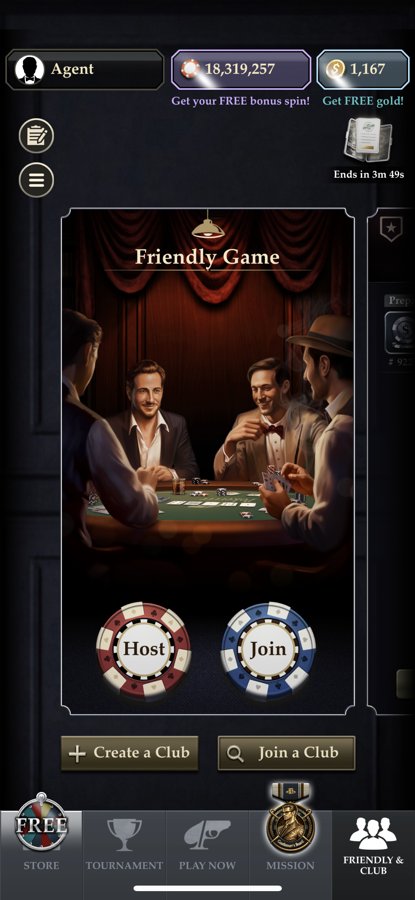
Open the app and go to the “Friendly & Club” tab at the bottom.
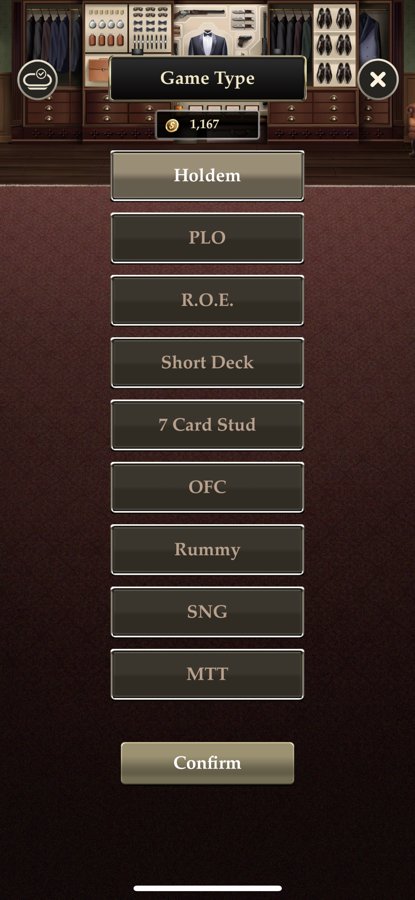
Pick a game type: Texas Hold'em, PLO, R.O.E., Short Deck, 7 Card Stud, OFC, Rummy, SNG or MTT.
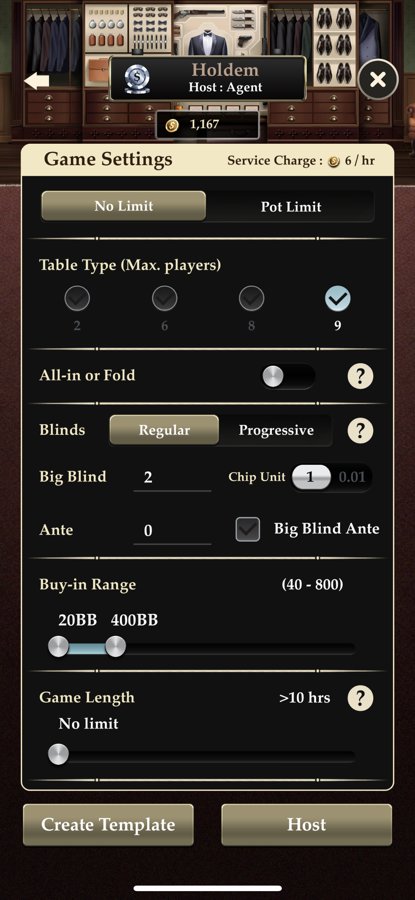
Set the table: stakes, blinds, buy-in, seats (2–10), game length.
Pick a seat and tap Shuffle & Deal to start.
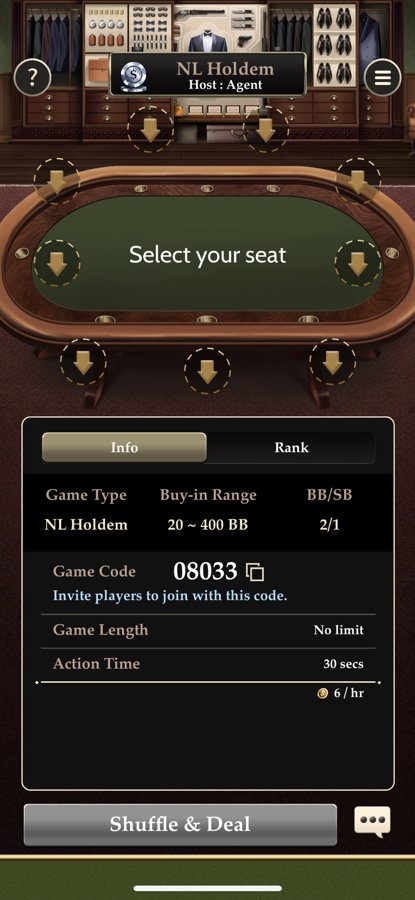
Share the unique game code — friends enter it to join.
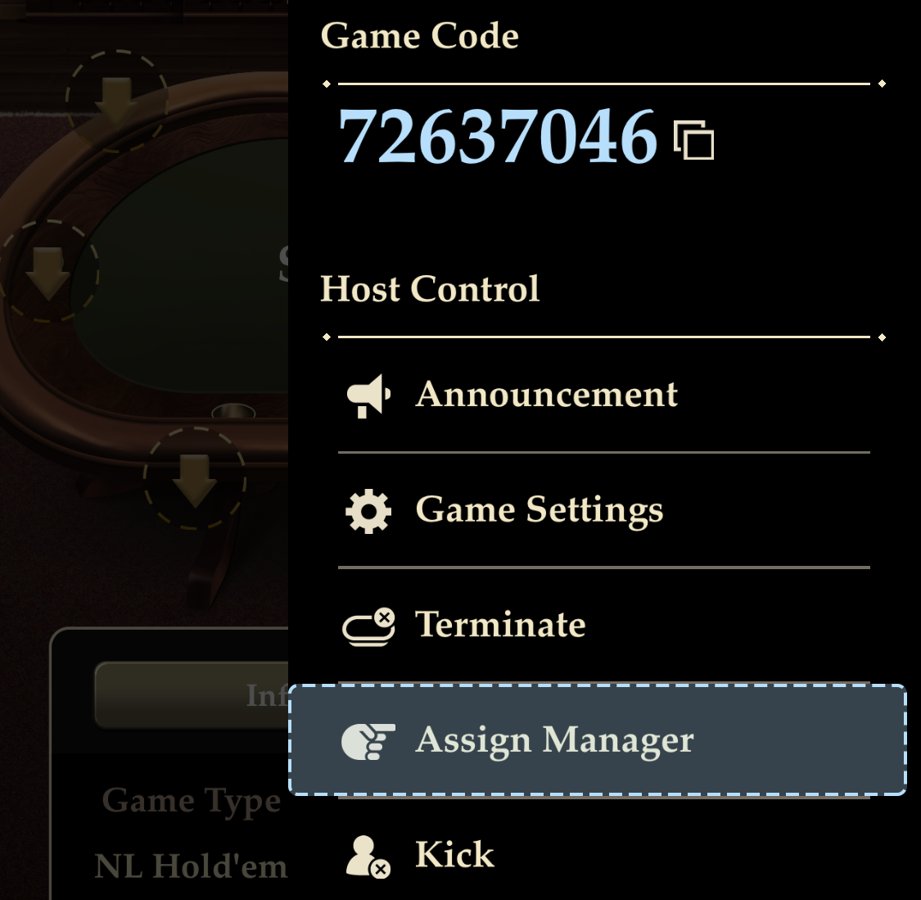
ℹ️The host doesn't have to play — you can sit out and just manage the table. All hands are saved automatically.
Not sure where to start?
Message us — we'll suggest an app for your style, find a verified club with soft games and a trusted agent.
Message on Telegram